
Leganto June 2026 Release Notes
July 2026 Sneak Preview
-
Set priority for course reserves automatic statuses table
Main Features
Upgraded Course Loader Integration Profile
June 2026 Leganto  Idea Exchange URM-321492
The Course Loader integration profile (Configuration > General > External Systems > Integration Profiles) has been enhanced to enable easier file import and to support the import of additional data.
The course loader integration profile now enables users to upload a file containing course information directly from their computer. Previously, course loading required uploading a tab-delimited file to an FTP server before running the integration. Users can now select and upload a local file, eliminating the need for FTP. The course loader integration profile still supports loading data from an FTP server.
A new Upload file field is now available in the Actions tab of the Course Loader integration profile. Users can use this field to upload a file containing course information, save the uploaded file, and run the job to ingest the course data.
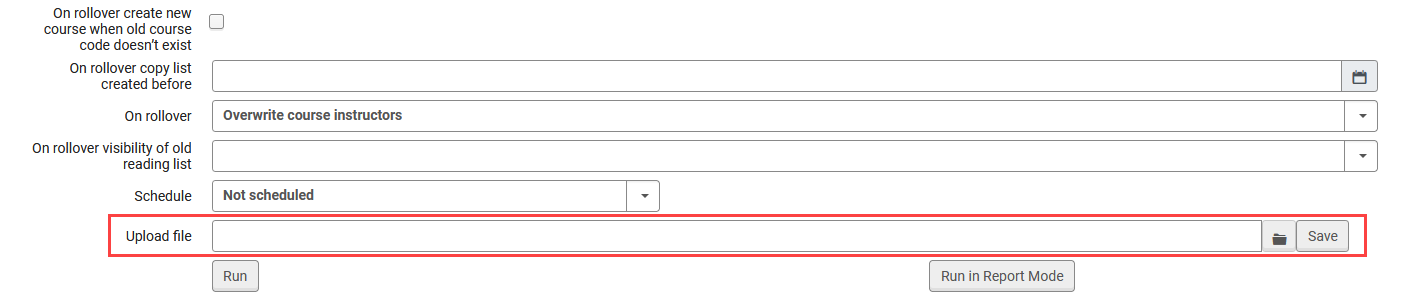
When a file is uploaded via Upload file, scheduling is disabled for that run.
Additionally, the Course Loader integration profile has been enhanced with a second version that supports importing School/Faculty information for courses and provides a more flexible structure for future data expansion. A new Version field has been added to the Actions tab, enabling users to choose between two input file formats for course data. The available options are:
-
Version 1 – Existing file structure and behavior (default for all existing Course Loader profiles).
-
Version 2 – Updated file structure with the following changes:
-
Adds a School/Faculty field (SCHOOL_FACULTY), which replaces TERM1.
-
Replaces TERM2 with a single MULTIPLE_TERMS field.
-
Introduces a new ALL_INSTRUCTORS OPERATION field for one or multiple comma-separated instructors. This field replaces the previous INSTRUCTOR1 -INSTRUCTOR10 fields.
-
Both versions support FTP-based course loading and direct file upload.

Within the course loader integration profile, the layout of the Actions tab has also been updated with visual separators between different operations (such as creating, updating, or rolling over courses) to improve clarity when configuring Course Loader profiles.
This enhancement simplifies the course loading process, reduces reliance on FTP-based workflows, and introduces a future-ready file structure. For details, see Configuring Course Loading.
Initiate Purchase Request Workflows from Leganto
June 2026 Leganto Idea Exchange URM-319496
Leganto now enables users to submit purchase requests for items directly from lists. Institutions control who can submit purchase requests with the new purchase_request parameter (Configuration > Leganto > Features > Leganto Features), which can have the following values:
-
all – Both instructors and library staff can initiate a purchase request
-
library – Only library staff can create purchase requests
-
blank (default) – Purchase requests are disabled for everyone
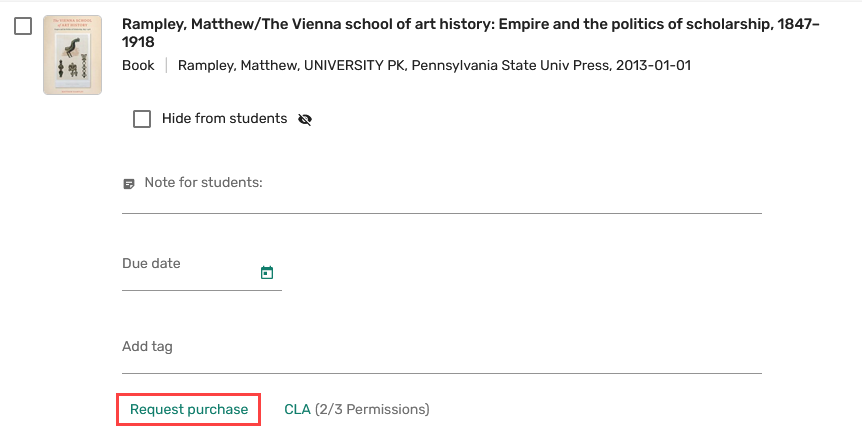
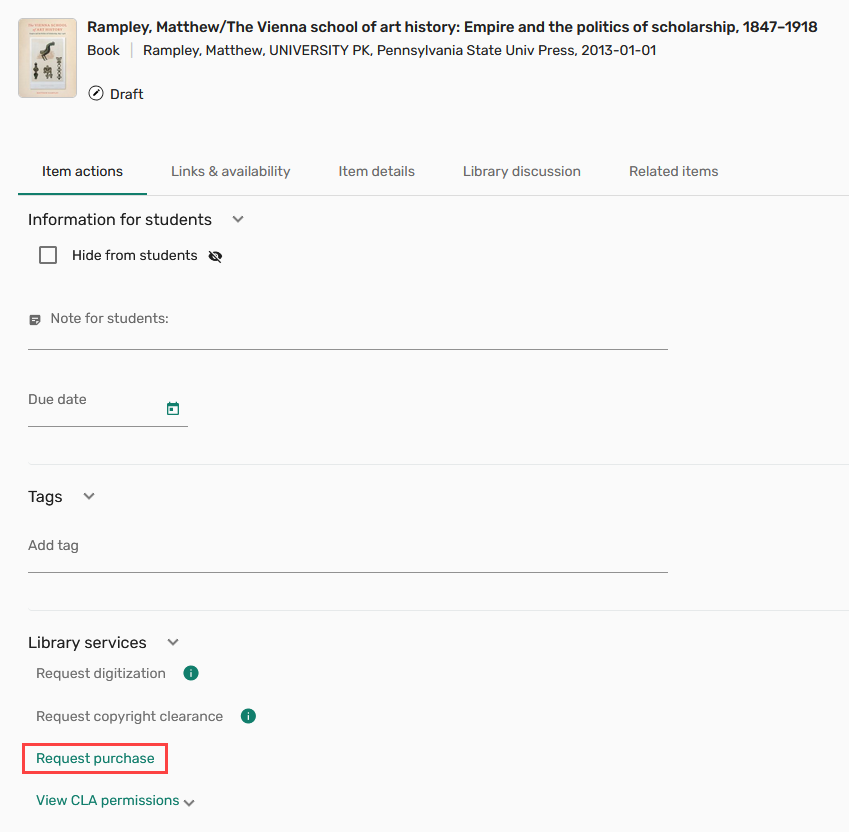
When enabled, the Request purchase button becomes available in several locations across Leganto:
-
In the brief view when the item is selected
-
In the Item actions tab within full details (in the Library services section)
-
In the Links & availability tab (visible only when an item is not available)
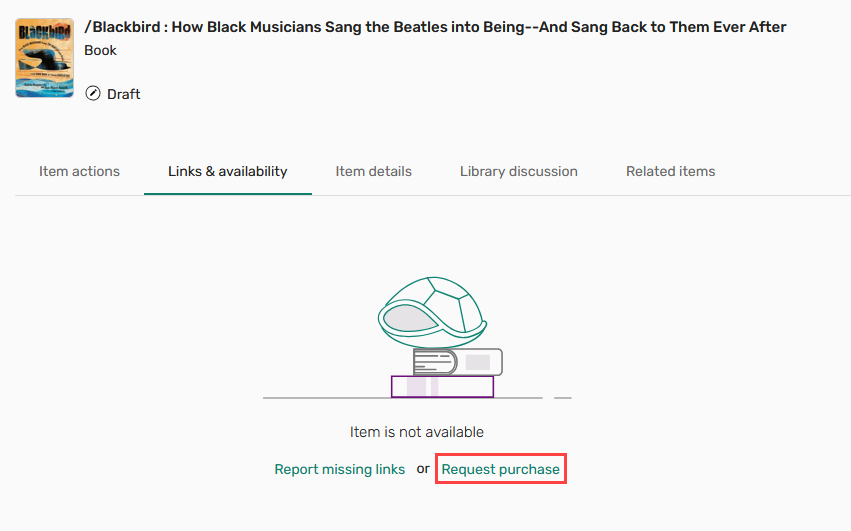
Selecting Request purchase prompts the user to choose a format (physical or online) and submit the request. Once submitted, the item is marked with a Purchase requested tag.

Users can track the status of their purchase request under Library services in the Item actions tab. The following statuses are supported:
-
Library processing – The request is being handled by the library.
-
Approved – The request has been fulfilled. The item is marked with the Purchase request approved tag.
-
Rejected – The request has been declined by the library. The item is marked with the Purchase request rejected tag.
When the PO line is closed, the purchase request tag is automatically removed from the item.
If a purchase request for an item already exists in Alma, Leganto displays the request's existing status and does not prompt the user to select a format. Additionally, if requester notes are mandatory (activated on request by Ex Libris support), purchase requests can only be submitted for items linked to a course.
This enhancement streamlines the material acquisition process by enabling instructors to create purchase requests directly in Leganto. For details, see Creating Purchase Requests for List Items.
Display Different General Messages to Different User Groups
June 2026 Leganto Idea Exchange URM-156620
Leganto now supports role-based general messages, enabling institutions to display different messages to different user groups. These messages appear in a header above all lists and items in Leganto.
A new General Message mapping table is now available under Configuration > Leganto > Features > General Message. The table is empty by default.
Administrators can add messages by selecting Add Row, defining the target role, message text, and an optional date range, and then saving the configuration. Each role can be used only once in the table.
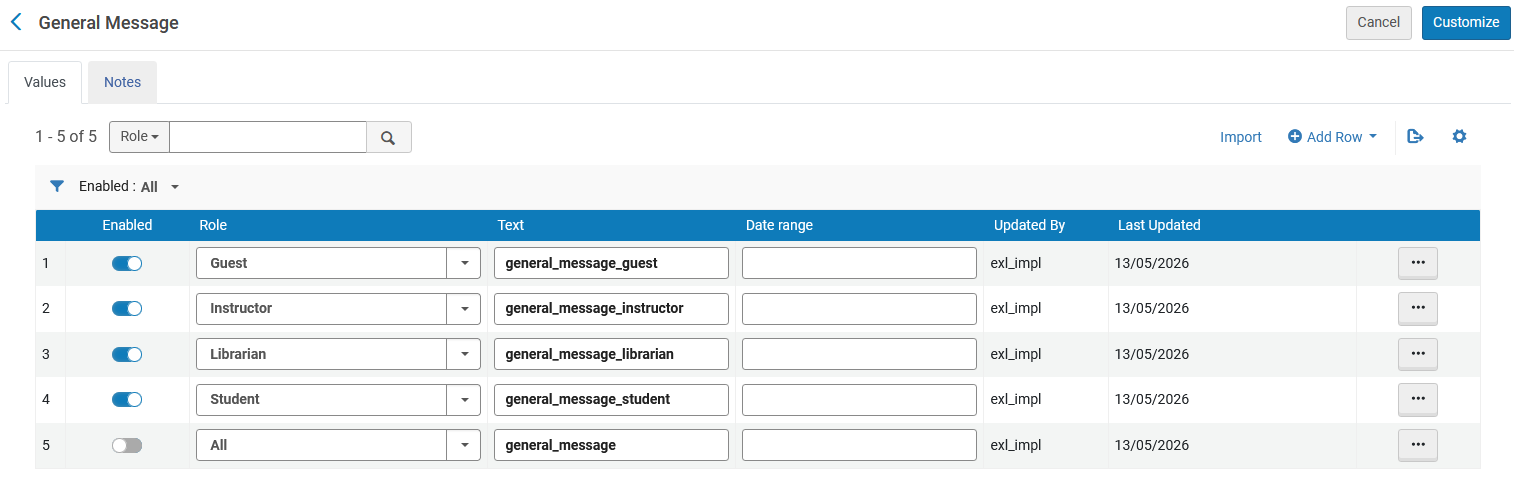
Each row in the mapping table defines a message to a specific user group and includes the following columns:
-
Enabled – A toggle that controls whether the message is active
-
Role – The target audience (All, Guest, Instructor, Librarian, Student)
-
Text – The message text, defined using a code from Configuration > Leganto > General > Customer Labels
-
Date range – Optional start and end dates that control when the message is displayed
-
Updated By – The name of the user who last modified the row
-
Last Updated – The date of the last update
If a general message for the All role is configured, it overrides any role-specific messages and is displayed to all users.
As part of this enhancement, the existing general_message, general_message_dates, and general_message_role parameters (Configuration > Leganto > Features > Leganto Features) will be removed in the July release. Existing configurations will be automatically migrated to the new mapping table.
This enhancement provides greater flexibility in communicating with users by enabling more targeted messaging. For details, see Configuring the General Message for Lists and Items.
Additional Enhancements
-
June 2026 Leganto URM-324647 The syllabus configuration pages in Leganto are now available to all users with access to Leganto configuration. Previously, these settings were managed only by Ex Libris Support.
The following configuration pages are now fully accessible:
-
Configuration > Leganto > Syllabus > Settings
-
Configuration > Leganto > Syllabus > Match by Fields for Syllabus
These pages enable libraries to directly configure syllabus-related settings and tailor item matching behavior to local workflows and requirements.
-
-
June 2026 Leganto URM-322768 The daily Leganto Detailed Notifications Email Letter has been updated to reduce redundant information. Previously, this email notification listed all changes made throughout the day, even when earlier updates were no longer relevant.
With this update, the email now includes only the latest change of the day for the following events:
-
A submit lists by date was added to your course
-
The due date is updated for an item
-
New edition available
This enhancement reduces noise in notification emails and ensures that course owners see only the most up-to-date information.
-
-
June 2026 Leganto URM-231491Leganto now supports HTML formatting and hyperlinks in the copyright_clearance_header and digitization_request_header labels (Configuration > Leganto > General > Labels). Previously, these labels supported plain text only.
With this update, libraries can enhance these labels by:
-
Adding hyperlinks (for example, to copyright policies or external resources)
-
Applying basic formatting, such as bold or italic text
-
Including email links (mailto tags) for direct contact
This enhancement enables institutions to deliver clearer and more accessible copyright and digitization information to instructors and students.
-
-
June 2026 Analytics and Insights URM-322477 New field, Citation Uploaded File Default, has been added to the following Alma Analytics Subject Areas. It indicates which uploaded file is selected as the default for an item, based on explicit selection or creation date. If a file is not explicitly marked as the default on a citation, the file uploaded first is the default.
-
Course Reserves (Analytics > Access Analytics > Create > Analysis > Course Reserves > Reading List Citations)
-
Leganto Instructor Usage Events (Analytics > Access Analytics > Create > Analysis > Leganto Instructor Usage > Citations)
-
Leganto Student Usage (Analytics > Access Analytics > Create > Analysis > Leganto Student Usage > Citations)
For more information, see Course Reserves, Leganto Instructor Usage Events, and Leganto Student Usage.
-
-
June 2026 Analytics and Insights URM-315288 A new field, Number of Sections, has been added to the Course Reserves (Analytics > Access Analytics > Create > Analysis > Course Reserves > Reading List Citations) Subject Area. It counts the number of sections in a list.
For more information, see Course Reserves.
-
June 2026 Analytics and Insights URM-252200 New fields, Additional Author, Additional Title, Other Standard ID, PMID, Remote Record ID and Series Title Number, have been added to the following Alma Analytics Subject Areas.
-
Course Reserves (Analytics > Access Analytics > Create > Analysis > Course Reserves > Reading List Citations)
-
Leganto Instructor Usage Events(Analytics > Access Analytics > Create > Analysis > Leganto Instructor Usage > Citations)
-
Leganto Student Usage (Analytics > Access Analytics > Create > Analysis > Leganto Student Usage > Citations)
For more information, see Course Reserves, Leganto Instructor Usage Events, and Leganto Student Usage.
-
-
June 2026 Analytics and Insights URM-326926 A new field, Students that Accessed Resources, has been added to the Leganto Student Usage (Analytics > Access Analytics > Create > Analysis > Leganto Student Usage > Student Usage) Subject Area. It displays the number of unique students who clicked a View online link, viewed a file, or downloaded a file.
For more information, see Leganto Student Usage.
Resolved Issues
| SF number | Description |
|---|---|
| 08421393 URM-328224 | Adding Additional Format files did not always complete successfully. In some cases, the file appeared to upload but could not be saved, and although it could be added in Alma, the file was not actually attached to the item. This was fixed so that additional files are now consistently saved and properly associated with the target list item. |
| 08400571 URM-327793 | It was not possible to manually add more than one Website item in Leganto, as the process would freeze at step 2 when entering the second item. This was fixed so that multiple Website items can now be added manually without any issues. |
| / URM-327787 | In the Alma Course Instructors tab, some instructors appeared with only an icon and no name or additional details, typically when the user had been removed from the system but was still associated with the course. This was fixed so that the current instructor information is now displayed correctly. |
| 08270022 URM-320842 | In library search, physical inventory was sometimes displayed for the wrong campus, even when users were logged into a specific campus view. In addition, the More Details panel did not always show inventory correctly. In both cases, the information appeared correctly only after the item was added to the list. This was fixed so that campus-specific inventory and More Details information are now displayed accurately in the search results. |
